Sony FX2 Auto Framing at weddings: give the camera a job, keep the coverage plan
A sourced assessment of Sony FX2 Auto Framing, crop and format limits, supporting camera assignments and the human decisions behind wedding-film coverage.
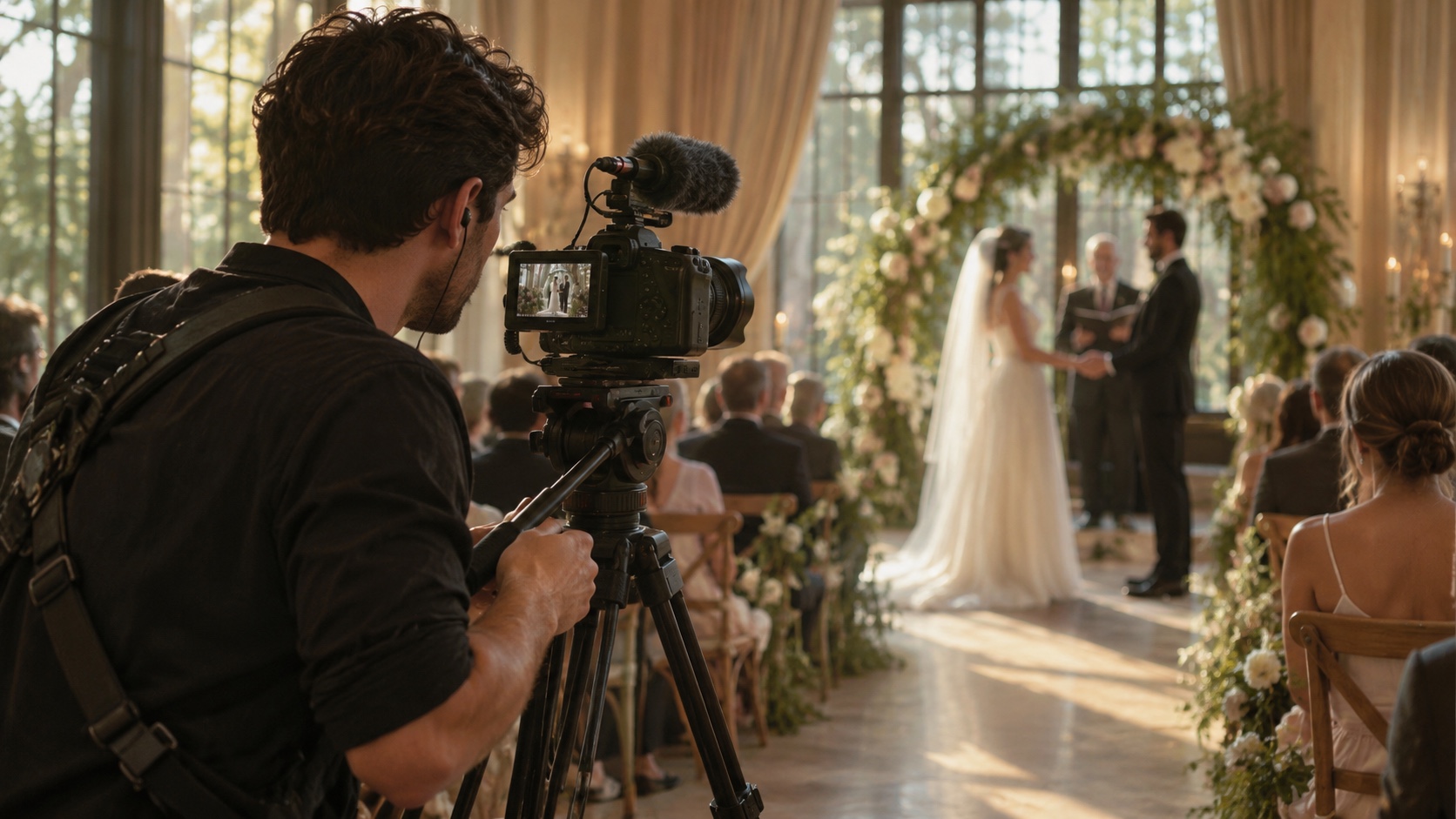
Current use-case analysis. Sony announced the FX2 May 28, 2025; this is not today’s launch news. Manufacturer facts are sourced; practical recommendations are editorial analysis. No hands-on test was conducted.
The production decision
Sony's FX2 Auto Framing is most interesting to a wedding filmmaker when the assignment is narrow. A fixed position can produce a changing composition around a speaker while a person attends to another part of the production. The temptation is to describe that as another operator. The more useful description is an assisted view with defined conditions, a person responsible for checking it and a clear place in the edit. That distinction keeps a real equipment feature from becoming an unsupported staffing promise.
Sony announced the FX2 on May 28, 2025. This article is current equipment and use-case analysis, not news of a product launched today. It is based on Sony's announcement, product information and help guide. We have not conducted a hands-on wedding test, measured tracking reliability or compared footage against competing cameras. Recommendations below are editorial judgments about planning and evaluation, with manufacturer claims identified as such.
The short assessment is that the feature deserves consideration for a controlled supporting assignment, especially where the subject and position are predictable. It does not establish comprehensive ceremony coverage or remove the need for judgment about sound, reactions and changing circumstances. Before making it part of a paid wedding commitment, test the actual configuration in a repeatable setting and decide what happens when the assisted view is not useful.
What Sony has actually documented
Sony describes Auto Framing as changing composition through a crop around a recognized subject. Its guide recommends HD output to limit quality deterioration from the 4K-image crop. Variable frame-rate mode is incompatible. With several recognized subjects, the highest-priority subject is targeted. Those conditions are central to evaluating the feature, rather than small-print exceptions to a general promise of autonomous wedding coverage.
Sony also provides control over crop level and tracking speed, with separate crop choices for recording or streaming and HDMI output. The practical point is to establish which view reaches each destination. A changing monitor composition, a recorded file and an external output should not be assumed to mean the same thing without checking the configuration. Consult the current guide for the complete menu behavior and restrictions before use.
Our editorial inference is that these controls make a bounded production test more useful than a broad question about whether AI works. You can assess a particular subject, movement, framing preference and output path. You cannot infer from the existence of the menu that an unattended camera will choose the emotionally right view across an entire ceremony. The feature addresses composition within a physical view; the production still decides what that view is for.
Where the FX2 sits in Sony's proposition
Sony positions the FX2 within its Cinema Line for independent creators and small crews. The launch material describes a full-frame 33-megapixel sensor for stills, with approximately 27.6 megapixels effective for movies, and several Log shooting modes. It also identifies an internal cooling fan and an optional XLR handle configuration. These are manufacturer specifications and positioning, not performance findings from this publication.
That combination makes the company story relevant to wedding production: Sony is offering a camera intended to span several practical creative tasks rather than only one narrowly defined capture mode. A studio may value operational familiarity or integration with its existing equipment. Those are matters to evaluate in the studio's own workflow. They do not establish that the FX2 is the best purchase for every filmmaker or that its ownership guarantees a particular film quality.
We are deliberately not turning the launch price into a current buying recommendation. Configuration, local supply, lenses, support equipment and the studio's existing kit all affect a purchasing decision. For this analysis, the relevant question is whether a documented function solves a real production problem. A camera should earn its place through the work it helps complete, rather than an attractive list of specifications repeated without context.
Choose a supporting assignment before choosing settings
Consider an explicitly hypothetical reception where a speaker remains near an agreed microphone position. A fixed camera has a clear line of sight, and another view protects the sequence. Auto Framing could be evaluated as an additional composition of the speaker. The assignment is limited enough to describe, test and review. It is not a claim that the feature has been proven under those conditions by Videographers.io.
Contrast that with a ceremony in which people enter from different directions, turn toward relatives and move between several ritual positions. The coverage requirement includes simultaneous relationships and context. An assisted view may still contribute material, but the operator's planning question becomes more complex. Identify the moments the fixed position can actually see and the moments assigned elsewhere. A crop cannot recover an event outside the physical view.
Write the assignment in ordinary production language: subject, expected position, intended use and fallback. Give someone responsibility for setting it up and checking the result. This prevents a useful supporting angle from quietly becoming the only protection for an important moment. It also gives the editor a reason for the footage, rather than another folder whose intended role must be guessed after the event.
Treat the crop as a delivery decision
The crop changes the available image, so begin with the delivery requirement. Ask whether the assisted view is intended for an HD component, an occasional cutaway or another specifically agreed use. Sony's documented recommendation deserves attention before the team promises a result. A studio should inspect the actual output within its editing and delivery process, rather than decide from the camera's general ability to record other high-resolution formats.
Test the files in the context in which they will be used. A clip viewed alone can create a different impression from the same material placed beside the main camera in a finished sequence. Compare framing, detail and movement in the intended edit. These are suggested review steps, not reported test results. The relevant threshold is whether the material serves the studio's agreed product, not whether a demonstration looks impressive on a small screen.
Do not conceal the tradeoff behind a loose statement that the camera shoots 4K. A model's broader recording options and a particular function's operating conditions are separate questions. When a client asks about the finished film, explain the actual deliverable. Internally, make sure the producer and editor know which material was created under which settings so that assumptions do not survive into the final export.
Check format choices as a complete configuration
Sony's file-format documentation distinguishes XAVC HS, XAVC S and XAVC S-I options, including different compression approaches. It also notes processing requirements for HEVC playback. The movie-settings guide treats frame rate and recording settings as explicit choices. The editorial implication is straightforward: evaluate the actual recording configuration and editing path together, rather than treat the model name as a complete technical specification for the job.
A rehearsal record can identify the file format, frame rate, intended output and software used to review the material. Keep the camera-specific guide linked to that record. If a setting changes later, repeat the relevant check instead of assuming that a successful earlier exercise covers the new combination. This is especially useful when several people share equipment or a camera moves between different types of production.
Avoid building a wedding plan around a mode that conflicts with the feature you intend to use. The person configuring the camera should confirm compatibility from the current documentation and actual menu. A checklist can prompt the decision, but it cannot replace that verification. Record unresolved combinations as unresolved and choose an ordinary fallback until the team has an answer it can defend.
Evaluate subject changes and interruptions deliberately
A useful test should include more than a person standing still in an uncluttered space. Rehearse the kinds of changes the intended assignment may involve: a speaker turning, another person approaching or a temporary obstruction. Observe what the camera records and what intervention is needed. Do not stage those experiments during irreplaceable vows simply to find out how an unfamiliar configuration behaves.
Keep the observations specific. Note the setup, the movement and the result, including material the team rejected. A statement that a configuration worked during one controlled rehearsal is more valuable than a generalized claim that tracking is reliable. The former gives another operator context. The latter can travel into a proposal as a guarantee that the evidence never supported.
Decide in advance who can abandon the assisted view and what protects the sequence when they do. A fallback should be understandable even when the responsible person is busy. If the only recovery requires several untested steps or access to equipment in an awkward position, reconsider the assignment. The camera's feature list does not establish the practical recoverability of the studio's installation.
Keep sound and coverage responsibility separate
A well-composed speaker is not proof of a complete speech recording. Establish who is responsible for the audio plan and the checks appropriate to the production. The same person may handle image and sound, but that should be a deliberate assignment. An automated visual function does not remove the need to know whether the promised words will be usable in the delivered film.
Likewise, identify who covers reactions and context. A couple may care about a parent's response, an exchange between siblings or the room during applause. Those moments can happen while the camera is following the speaker. Discuss them as human coverage priorities rather than expect the framing function to infer their importance. The production plan should show where the supporting view ends and another responsibility begins.
For a small crew, this clarity can be more useful than increasing the number of devices. Each additional position creates setup, checking, media and editing work. Evaluate that burden along with the material gained. A camera angle that nobody can responsibly prepare or review may add complexity without improving the finished film, even when its underlying feature is technically impressive.
Give the editor the intended role of the footage
The handover should say whether the assisted recording is a primary view, occasional alternate or backup. Include any known interruption and the sequence it belongs to. An editor should not have to infer those facts from a model name or a short sample. A clear note helps prevent an attractive but incomplete view from being treated as the whole record of a moment.
Keep the note connected to the relevant files and event sequence. If the team changes the assignment during the day, update the handover accordingly. The useful record is what actually happened, rather than the first plan preserved because it was easier to find. This is ordinary production discipline, but automation makes it especially important because a moving image can appear more supervised than it was.
Review the finished sequence against the couple's agreed priorities. A technically successful crop may still be the wrong editorial choice if the wider view carries the meaning. Conversely, a restrained alternate may help an editor show a speech clearly. The tool contributes options; the edit determines whether those options serve the story. Neither choice requires a universal verdict about the feature.
Assess the business value without claiming a replacement operator
The feature may reduce a particular manual adjustment, but there is no measured staffing saving in this article. A studio considering its value should count setup, intervention, review and recovery as well as the usable footage. The result may vary by assignment and crew. Keep the evaluation tied to actual work rather than a promotional equation in which one automated camera equals one person removed.
Client language should remain equally clear. Explain the number of filmmakers attending and the coverage they will provide. If an assisted fixed view contributes to the plan, describe its purpose without making it sound like an additional human presence. A couple should understand what they are commissioning in ordinary terms, even if they have no interest in the technical mechanism behind a particular angle.
For filmmakers who already own suitable equipment, a controlled evaluation may be the sensible next step. For those considering a purchase, this feature is one part of a broader decision involving their own work and existing system. The evidence here supports an informed question, not a blanket recommendation to replace a camera or reduce a crew. Let the assignment establish the need before the specification establishes the appeal.
Our assessment: useful assistance needs an accountable boundary
Sony's strength in this case is a documented feature with visible choices and limitations, within an established production camera line. That gives filmmakers something concrete to investigate. The limitation is equally important: the feature's existence cannot establish wedding-specific reliability, emotional judgment or complete coverage. Those require an appropriate assignment, the studio's own evaluation and people who understand the event.
Our practical recommendation is to start with a repeatable supporting task, inspect the exact files and record a simple fallback. Keep human responsibility for the ceremony's priorities, audio and reactions. If the assisted view improves the edit without creating an unreasonable checking burden, it may earn a useful role. If it does not, leaving it out is a professional decision rather than a failure to embrace technology.
An effective wedding production uses equipment to make attention possible. The FX2 can assist with a specific visual task; the team still decides where attention belongs and stands behind what is delivered. Give the camera a clear job, preserve the context around it and judge the result in the finished film. That is a stronger basis for adoption than calling any moving crop another filmmaker.
Sources and editorial context
Manufacturer guidance is credited directly below. Examples and planning recommendations are original IAM editorial analysis, not hands-on testing or measured client results.
Sony FX2 Auto Framing Settings — source date date not stated; checked November 11, 2026
Sony FX2 announcement — source date May 28, 2025
Sony FX2 file formats — source date date not stated; checked November 11, 2026
Sony FX2 movie settings — source date date not stated; checked November 11, 2026
WeddingSaaS: small-crew workflow implications — source date November 11, 2026
Weddings.io: questions about human coverage — source date November 11, 2026
An enquiry does not confirm a booking, availability or provider acceptance. Include your location, project scope, intended dates and contact details. Avoid sending private client footage before agreeing a secure transfer route.